Docs / Working cases
Prescriber outreach (faxing for records)
Most missing documentation lives at the prescriber’s office — and their workflow is fax. The Outreach tab sends a records request without leaving the case.
Sending a request
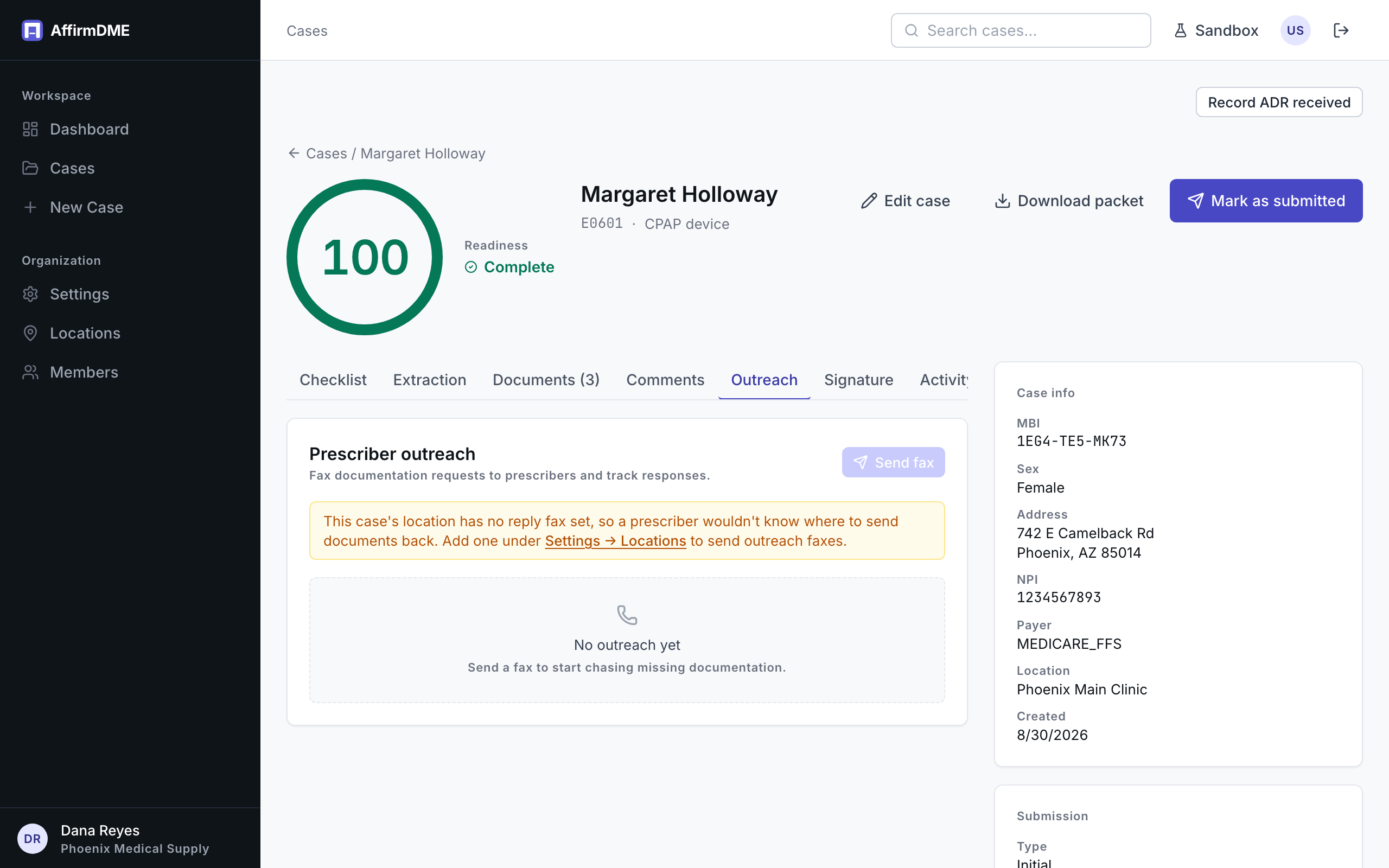
From the case: Outreach → New request. AffirmDME generates a cover sheet identifying the patient, the ordering prescriber, and the specific documents needed (pre-selected from what the checklist says is missing — adjust freely), and faxes it to the number you enter for the practice.
Replies go to your location’s fax number (set on the location record — required before sending), so responses land in your existing intake process; upload the returned documents to the case as usual.
Tracking
Each request shows its delivery status (sent, delivered, failed) and history on the Outreach tab, with everything logged in the case Activity trail. Failed faxes (busy, wrong number) can be resent after correcting the number.
Escalations
Requests that sit unanswered are surfaced by AffirmDME’s reminder system so aging outreach doesn’t silently stall a case — you’ll see cases with stale outreach flagged for follow-up.