Docs / Working cases
Submitting a case
AffirmDME prepares the submission; you submit through your MAC’s portal (or fax/esMD, per your process) so you stay in control of the actual filing.
The packet
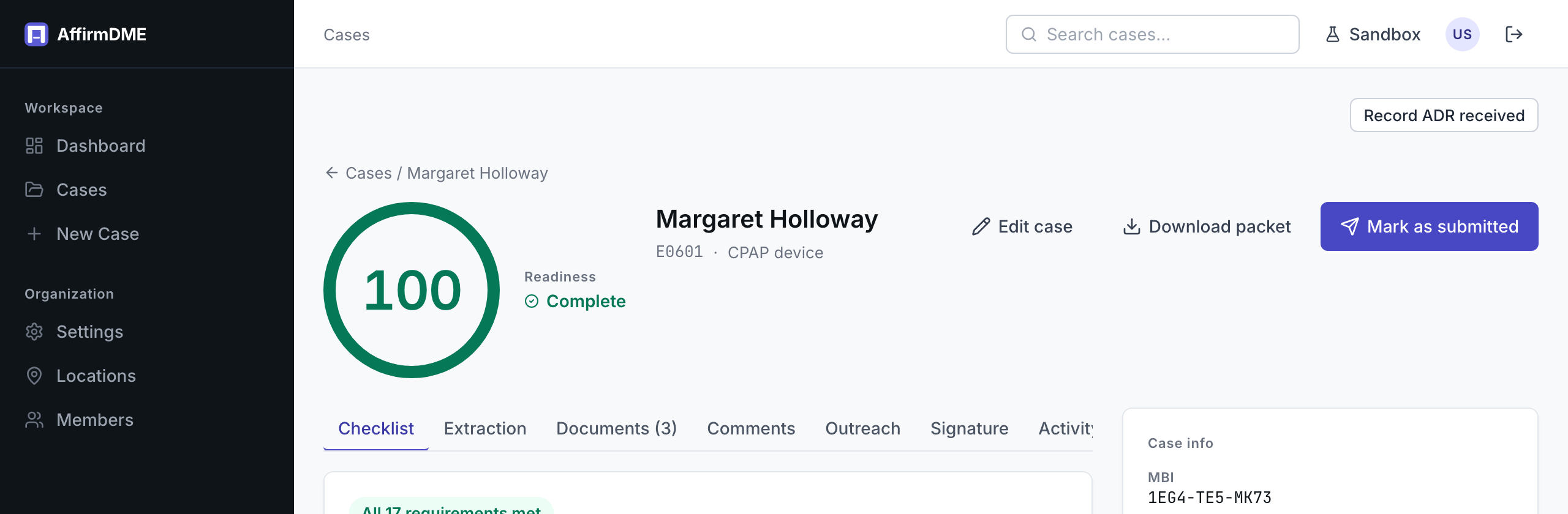
Download packet assembles the case’s documents into a single submission-ready PDF — the signed order, clinical documentation, and supporting records. You choose what’s enclosed; empty packets are blocked.
Marking submitted
After filing with the MAC, click Mark as submitted and record the date and method. When the MAC issues a UTN (Unique Tracking Number), add it to the case — it’s required later for resubmissions, appeals, and ADR correlation, and the checklist enforces its presence on non-initial submissions.
A submitted case leaves your working queue and is watched for a decision: cases sitting submitted too long (10/15-day thresholds) are flagged by the reminder system so nothing ages out silently.
Recording the decision
When the MAC decides, record it on the case — Affirmed or Non-affirmed, with the structured reason category for non-affirmations. This is what feeds your affirmation-rate and denial analytics on the dashboard, so record decisions consistently even for wins.