Docs / Working cases
Reading the readiness checklist
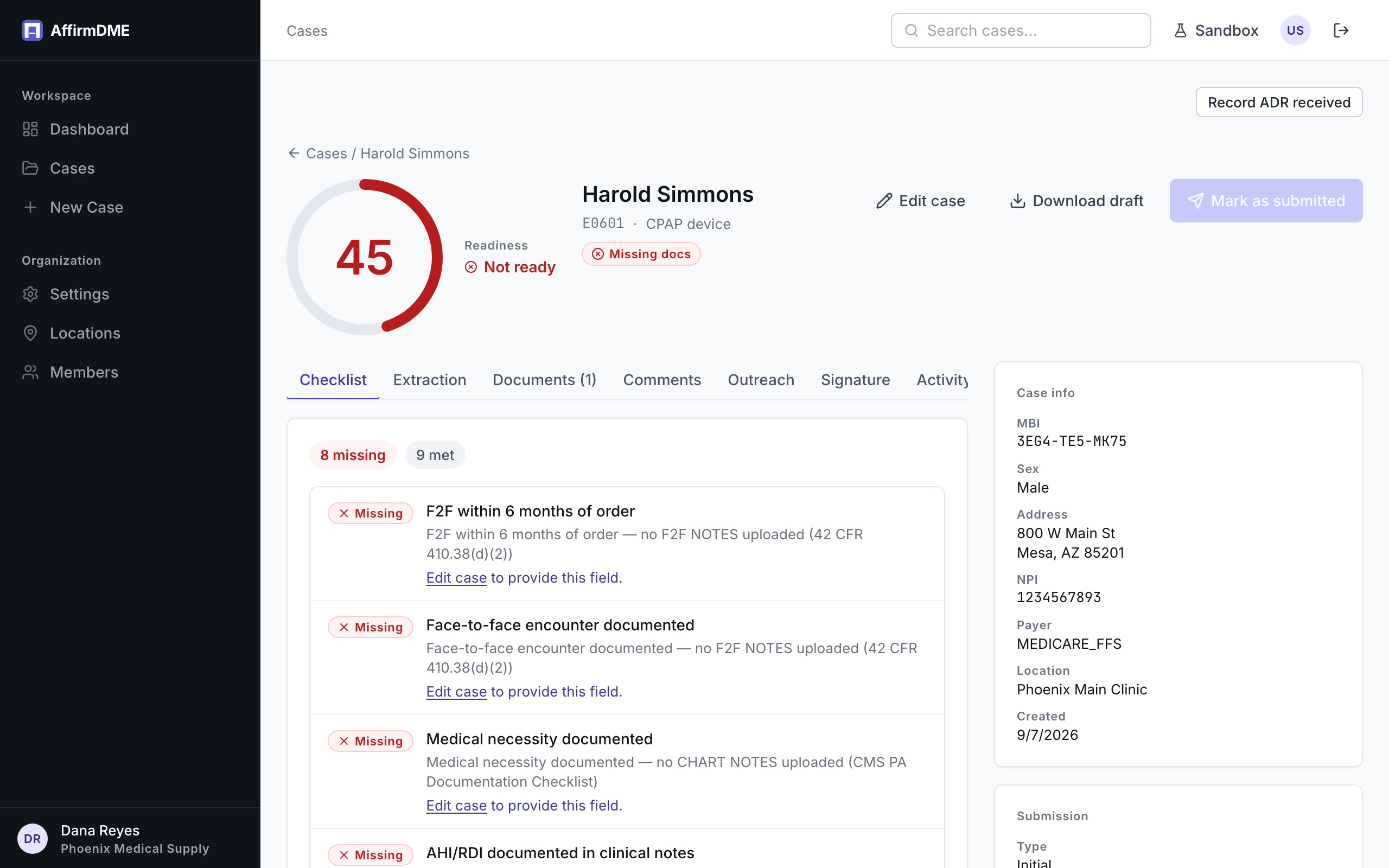
The Checklist tab is the heart of a case: every requirement Medicare applies to the declared equipment, each in one of three states.
The three states
- Met — the requirement was verified from your uploaded documents or case fields, with the source shown
- Missing — affirmatively not satisfied: a required document isn’t uploaded, a required field is empty, or a date falls outside its window. Each missing item says what would satisfy it, and case-field gaps link straight to Edit case
- Needs review — the AI couldn’t determine it mechanically (an ambiguous date, a borderline clinical value). A human should look; it doesn’t block anything
Where requirements come from
Two layers, combined automatically:
- Universal rules — the Standard Written Order elements, face-to-face timing, demographics, and medical-necessity checks that apply to DME claims broadly (42 CFR 410.38(d) and CMS guidance)
- Equipment-specific rules — scoped to the case’s declared HCPCS codes and your jurisdiction/MAC: sleep-study values for CPAP, qualifying blood gases for oxygen, positioning documentation for hospital beds, and so on
Every item carries its citation (LCD, policy article, or CFR section) linking to the public source — the same citations in our requirement guides.
Score and readiness
The circle score aggregates the checklist into 0–100, and the case carries a readiness badge: Not ready (RED — something required is missing), Needs review (YELLOW — nothing missing but items need human judgment), Complete/Ready (GREEN). GREEN enables confident submission; YELLOW is submittable after your review; RED means a denial-shaped gap exists.