Docs / Billing
Reading your usage
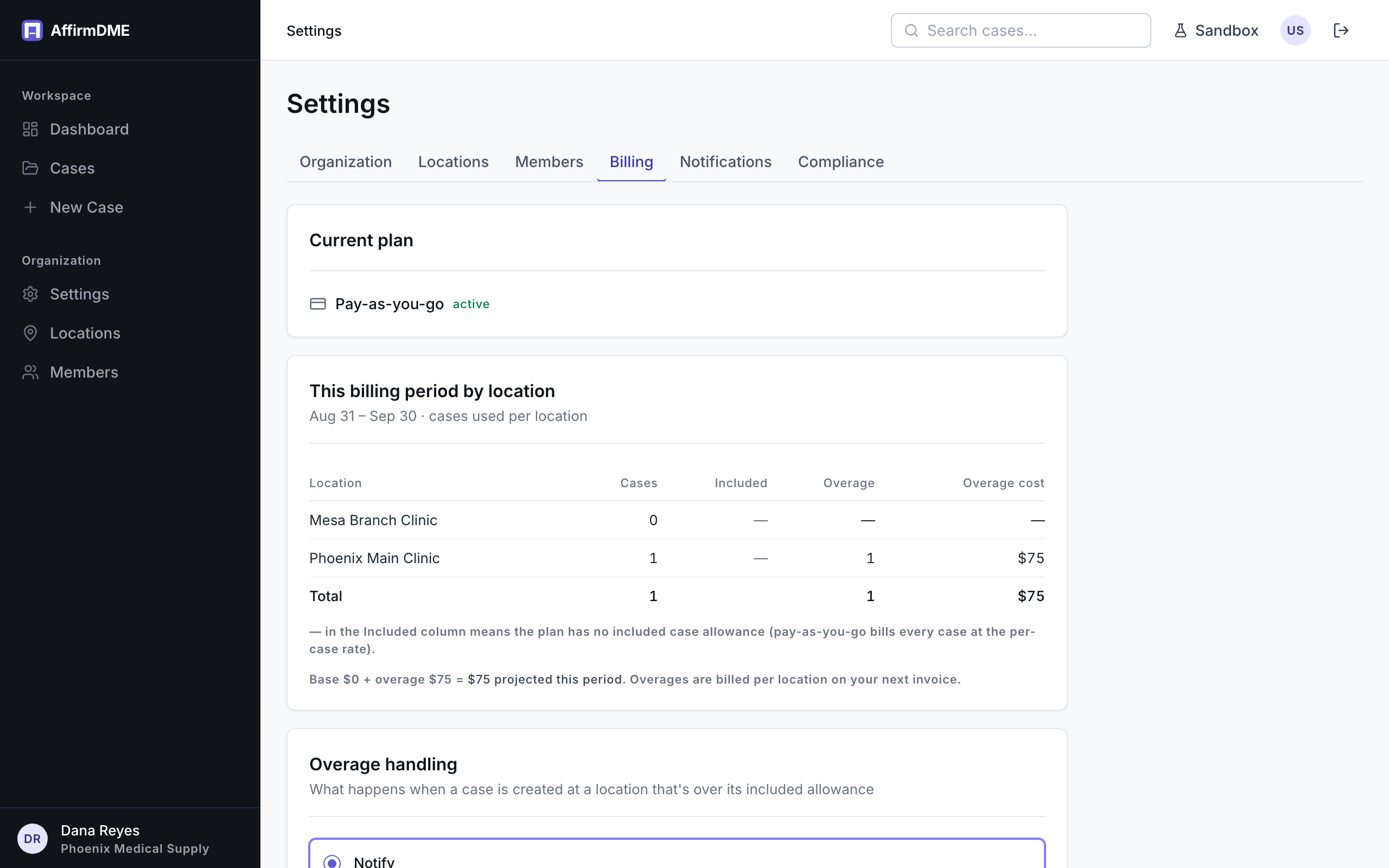
Settings (billing section) shows a “This billing period by location” table:
| Column | Meaning |
|---|---|
| Cases → Used | Production cases created at that location this billing period |
| Cases → Included | The location’s case allowance for your tier (”—” on pay-as-you-go: no allowance, every case bills) |
| Cases → Over | Cases beyond the allowance so far (amber) |
| E-signatures → Used / Included / Over | The same three for e-signature envelopes (∞ = unlimited) |
| Overage cost | Case overage × your tier’s rate, plus $10 per envelope over the e-signature allowance |
Below it: the projected period total — base fees plus overage to date, with the case and e-signature portions broken out when both apply. The date range shown is your actual Stripe billing period, so the numbers here always match what the invoice will say; the same window drives the overage warnings at case creation.
The upgrade prompt
On pay-as-you-go, when a month’s spend would have been cheaper on a plan, a prompt appears above the plan cards showing the comparison (“You’ve spent $X pay-as-you-go; Starter would have been about $Y”). It’s arithmetic on your own usage — no pressure tactics, it simply appears when the math favors switching.