Docs / Getting started
Sandbox mode
Sandbox mode is a parallel workspace inside your org for learning and training — full product, no real patient data, never billed.
The trial workspace
A new organization starts in the sandbox and stays there until its Business Associate Agreement is signed. There is no toggle to find: sign up, and you land on a dashboard with sample cases in it. The banner reads Trial workspace · sample data only and has one button, Go live, which opens the practice profile, the BAA, and plan selection. The trial is bounded on purpose: uploading your own documents waits until you go live (the sample document library is how documents get into a trial case), and fax, e-signature, and packet download are production-only. Everyone in the organization can use the trial workspace; an admin completes Go live.
Switching in and out
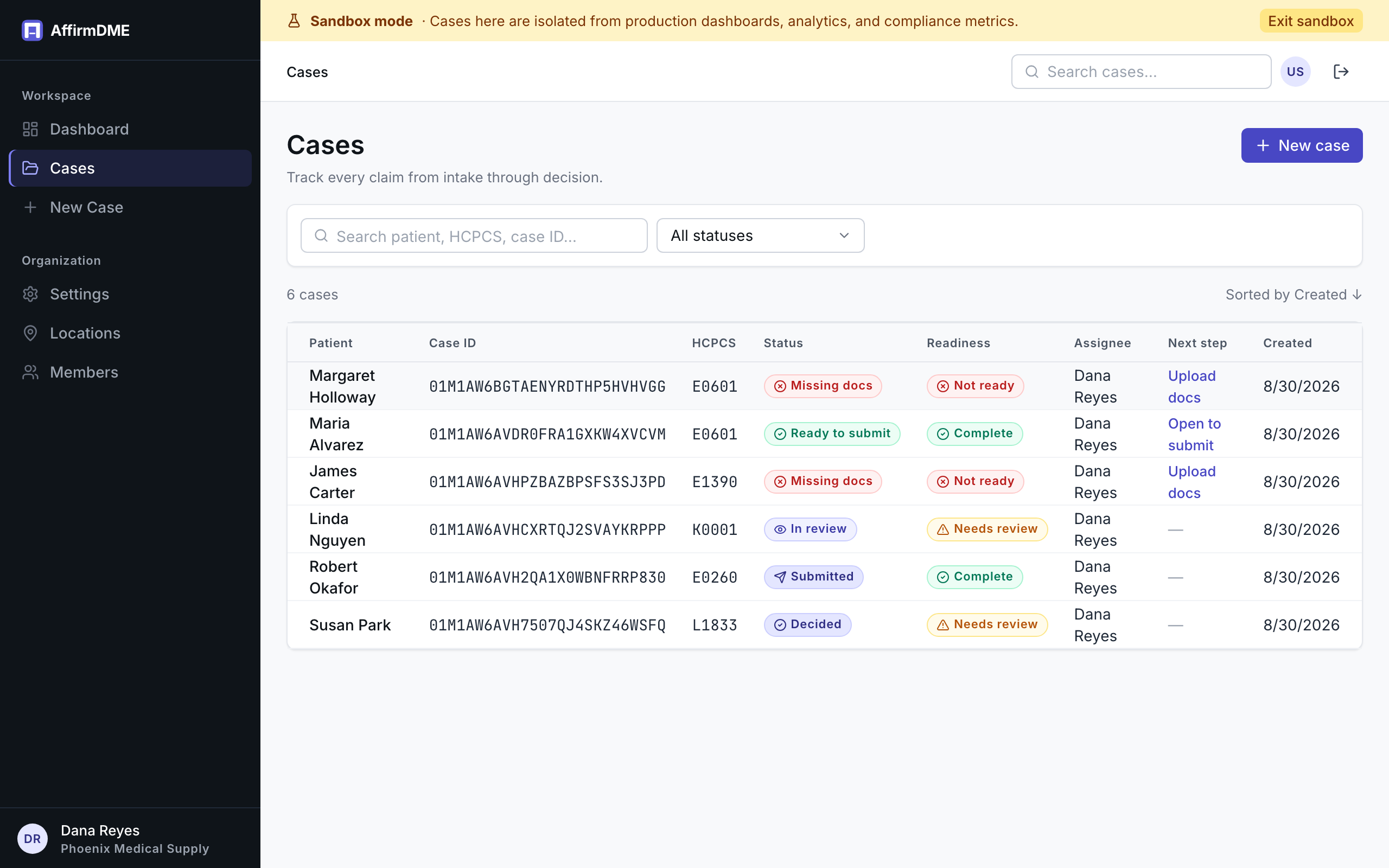
Once you’re live, click Sandbox in the top bar. A banner marks sandbox while it’s on; Exit sandbox returns to production. The two worlds are fully isolated: sandbox cases never appear in production dashboards, analytics, compliance metrics, or billing.
What’s in the sandbox
Seeding loads eleven synthetic cases that span the whole lifecycle — a CPAP packet that’s ready to submit, an oxygen case waiting on the prescriber, a K0005 wheelchair in review, a hospital bed already submitted, an affirmed knee orthosis, a bi-level PAP under ADR review, a TLSO with a signed e-signature envelope, an air-fluidized bed whose SWO is out for signature, a wrist-hand orthosis at intake, and a non-affirmed bone growth stimulator with its resubmission. Every one has real documents attached (synthetic PDFs), completed extractions, a checklist the rules engine actually evaluated, an activity timeline, and where it fits, a comment thread, a fax outreach record, or a signature envelope. Open any of them and every tab works the way it does for a real case.
Invented patients, invented practitioners, the standard test NPI. Nothing in the sandbox is, or was, a real person.
Adding documents
Two ways to feed a sandbox case:
- The sample document library. On a sandbox case’s Documents tab, pick a synthetic record — a Standard Written Order, face-to-face note, sleep study, oximetry report, specialty evaluation, radiology report, or an ADR letter — and add it with one click. The real extraction runs on it and the checklist updates, exactly as it would for an upload. Samples for the case’s own HCPCS codes are listed first; the rest are one click away if you want to see what a mismatched document does to the checklist.
- Your own de-identified PDFs, once your organization is live. Drop them in the same way you would on a production case. In the trial workspace, before the BAA is signed, uploads are refused and the sample library is the only source — that is what keeps real patient data out until an agreement exists.
Sandbox includes up to 5 document extractions and 10 cases you create yourself per organization; the seeded cases and their documents don’t count against either. Extractions are counted when a document is added and are not returned by deleting it or reloading the sample cases. Each sandbox document is extracted once. Fax outreach, e-signature, packet download, and AI-drafted ADR responses are production-only.
Reload sample cases in the sandbox banner replaces the seeded set with a fresh one; cases you created yourself are kept.
When to use it
- Before your BAA is signed — the trial workspace is the sandbox, so it’s safe from minute one
- Training new team members — let them break things where it doesn’t count
- Evaluating the product — this is the “no credit card, explore free” from our homepage; production cases are where billing starts, sandbox is free forever